
When a business renames something, whether that's one location, a product line or the whole brand, the redirect from the old main page to the new one gets all the attention. It's the address people know, so it's the redirect everybody tests. It's rarely the only place the old URL lives.
Once the main redirect is in, these are the places old URLs tend to hide:
- old sub-pages that return a 404 instead of redirecting
- the site's own buttons and links, still pointing at the old name
- a Google Business Profile link that's been changed without UTM tags
- an XML sitemap that still lists the old URLs
- old blog posts linking to a domain the business retired years ago
A rename touches more of a site than anyone tends to write down.
Redirect every old sub-page, not just the main page
Each old sub-page has its own history. Google may have it indexed, and it may have links from other sites, listings or old emails. A 404 throws that away and leaves anyone who clicks one of those links on an error page.
A 301 redirect to the nearest new equivalent tells Google the page has moved and sends the visitor somewhere useful. Pointing every old sub-page at the new main page is tempting because it's one rule, but Google can treat a redirect to a page that doesn't match as a soft 404. Map each old page to its closest match instead.
Your own links count too
Buttons like Enquire or Book are the ones I'd fix first, because they sit on the key pages and they're how people get in touch.
If the old address redirects, every click on a button like that takes an extra hop, and Google keeps finding links to a URL you've told it has moved. If it doesn't redirect, the most important button on the page leads nowhere. Either way, the fix is to update the link so it goes straight to the new page.
The same goes for menus, footers and links in body copy. Redirects are there for links you can't change. Your own you can, so point them at the final URL.
The sitemap and your Google Business Profile
An XML sitemap is meant to list the pages you want indexed. One that still lists the old URLs long after the switch is asking Google to keep crawling pages you've retired, which works against the redirects. Leaving the old URLs in for a short while can help Google find the redirects sooner, but the new URLs should be in there from launch, and the old ones should come out once they've been picked up.
When the Google Business Profile link changes, it's easy to drop the UTM tags. Without them, visits from the profile turn up in GA4 as ordinary Google organic traffic, so you can't tell what the profile is bringing in. Tag the link whenever you change it.
Links to old domains still need updating
Blog posts linking to a long-retired domain are easy to miss, because nobody rereads old posts when they're planning a rebrand. If that domain still redirects, the links work, but each one has to go through the redirect before it lands. If the domain has lapsed, the links are broken, and whoever registers it next decides where they go.
Don't do this by hand. Run a crawl, search the outgoing links for any domain the business has used before, and update them to the current address.
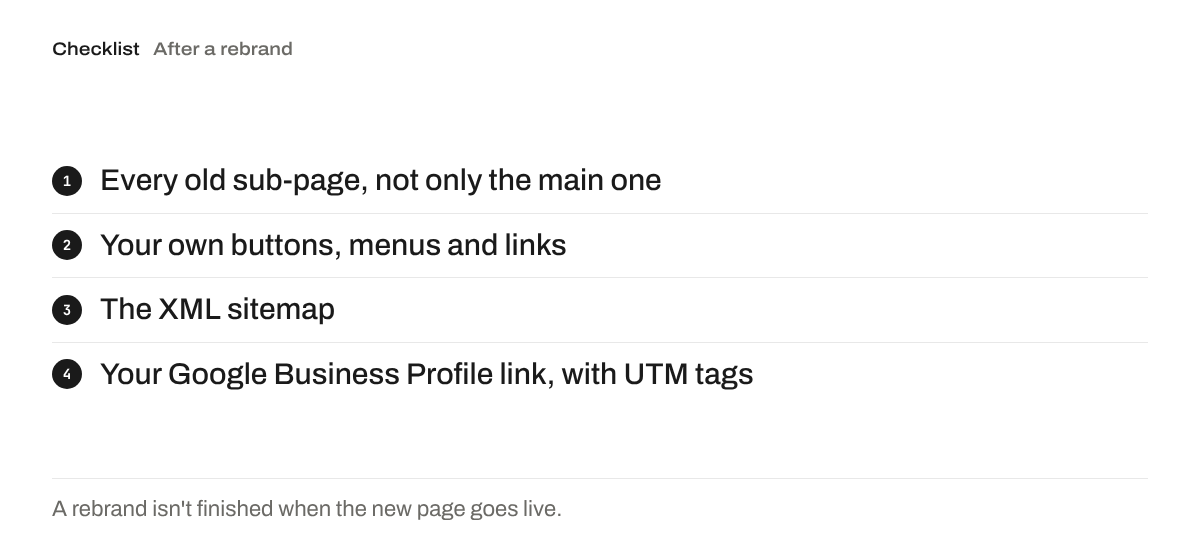
Rebrand SEO checklist
Before calling a rebrand finished, check:
- Every old URL, not only the main page. Get the full list of old addresses and check each one redirects to its nearest new equivalent. My bulk redirect checker takes up to 20 at a time.
- Your own links. Buttons, menus, footers and body copy, including old blog posts.
- The XML sitemap. New URLs in, old URLs out once the redirects have been picked up.
- Google Business Profile and other listings. The new URL, with UTM tags.
- Links to older domains. Anything pointing at an address the business used before.
The easiest time to build the list of old URLs is before the rename goes live, while the old pages are still there to crawl. If it's already happened, the old sitemap and the "Not found (404)" section of Search Console's page indexing report are good places to look for what was missed. That assumes you still have Search Console access, which is worth checking before any rebuild.
A rename is a small migration, and it needs the same checks a full rebuild gets. Most of them are on my website migration checklist, and if you've got a rebrand or rebuild coming up, that's the work my website migration SEO service is for.