
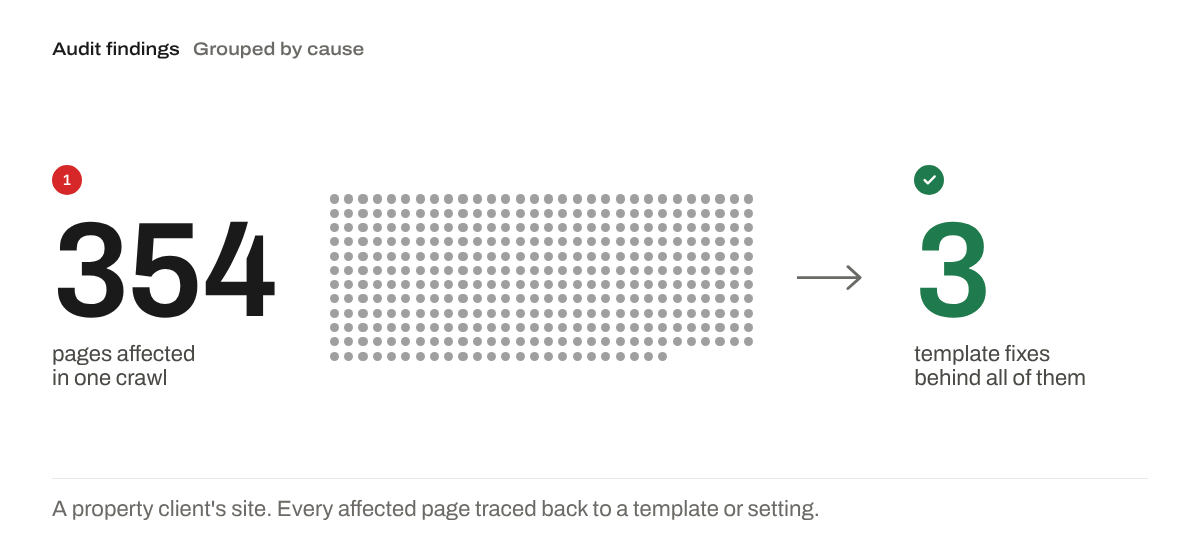
I worked through a crawl of a property client's site this year, and on a raw count it looked like a mess:
- 230 pages with an unfilled template token printing raw in the meta description
- 222 page titles carrying the same default label from the CMS
- 93 pages with a canonical tag pointing at a malformed address, with the protocol written twice
Between them, those three problems touched 354 unique pages. Each one traced back to a template or setting rather than to the pages themselves.
Count causes, not URLs
Grouping by root cause means counting the fixes an audit needs instead of the URLs it flags. Hand a client the raw page count and it reads like months of work, when three causes account for every one of those 354 pages.
That's why I group findings by cause before I count anything. What I want to know is how many separate fixes there are and what each one unblocks.
Crawl tools tend to report the other way round. You get issue types with a URL count next to each, so the biggest numbers float to the top. Fine as a starting point, but you can't work from it. Two hundred pages with the same broken title is one fix, and five pages with five different canonical errors can easily be more work than all two hundred.
What the client hears
"354 pages have problems" sounds alarming. It also sounds expensive, so it tends to get parked until next quarter.
"Three template fixes, and here's what each one sorts out" is a much easier thing to get booked in. The developer knows exactly what to change, and nobody has to wade through a spreadsheet of near-identical rows to work out what's going on.
Why the smallest number went first
Grouping by cause also stops a big number jumping the queue just because it's big.
The canonical problem affected the fewest pages of the three, 93 against 230 and 222, and it still went first. Those 93 included the site's main locations page and a run of regional index pages. The broken canonicals were also sitting on most of the pages we wanted to redirect old URLs to, so doing the redirects first would have sent people and Google to pages whose canonicals pointed at an address that doesn't exist.
The titles and descriptions came next.
How to prioritise your next SEO audit
- Group every finding by the template, setting or process that causes it.
- For each group, note how many fixes it takes and who has to make them.
- Rank the groups by what each fix unblocks for the pages that matter commercially.
- Only then put a number on it, and make it the number of fixes.
It's a small change in how the findings are presented, and in my experience it's often what gets an audit acted on instead of filed. If you'd like an audit done this way, for your own site or white-label for your agency's clients, here's how my SEO audits work.